06. Set Up a Fake Repository
L5 P3 A02 Set Up A Fake Repository V2
In this step you'll set up a Fake repository called FakeTestRepository.
Step 1: Create a TasksRepository Interface
The first step towards using constructor dependency injection, is to create a common interface shared between the fake and the real class.
- Open
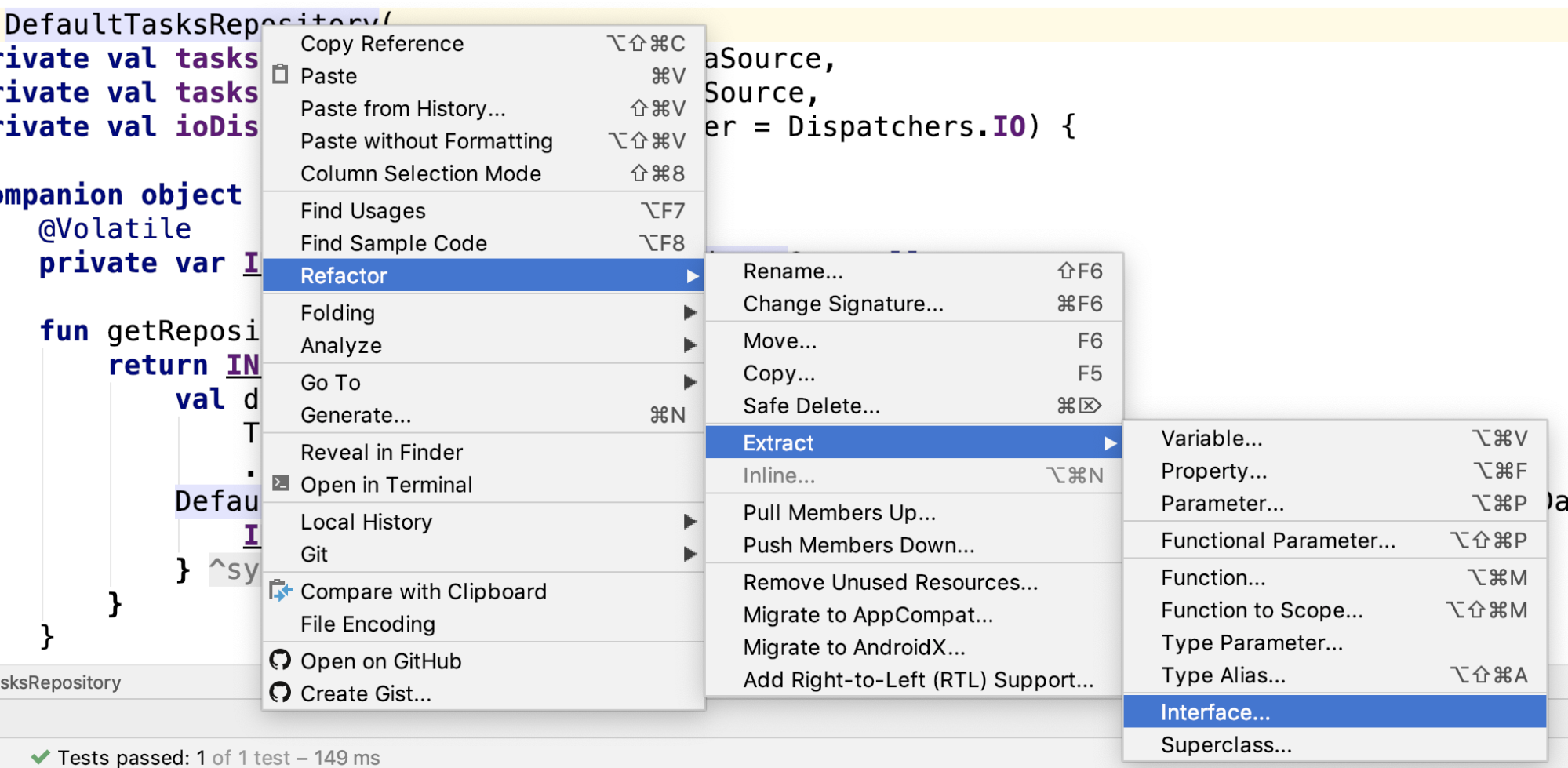
DefaultTasksRepositoryand right click on the class name. Then select Refactor -> Extract -> Interface:
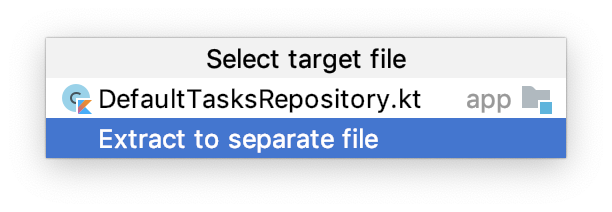
- Choose Extract to separate file:
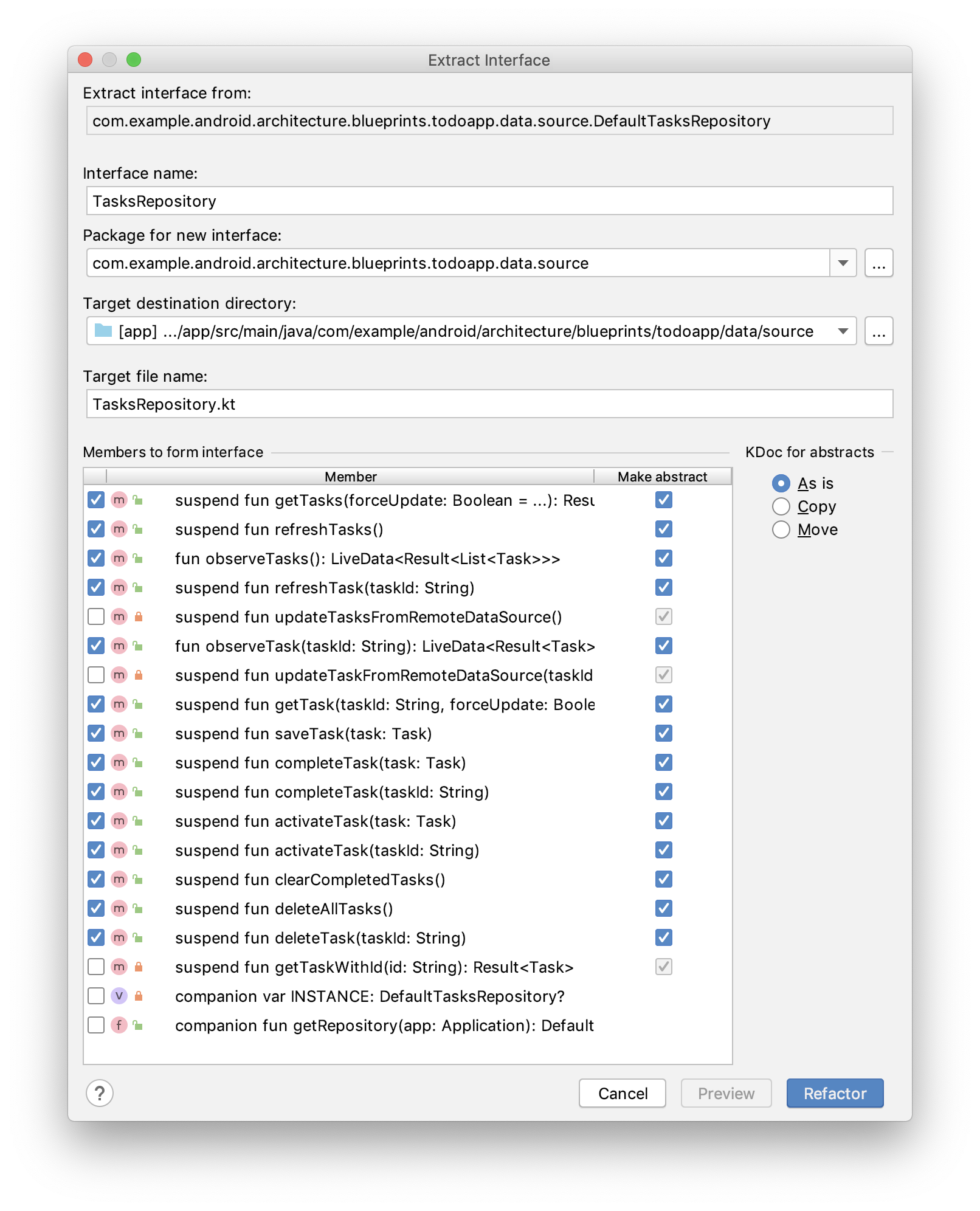
- In the Extract Interface window, change the interface name to
TasksRepository. - In the Members to form interface section, check all members except the two companion members and the private methods:
- Click Refactor. The new
TasksRepositoryinterface should appear in the data/source package:
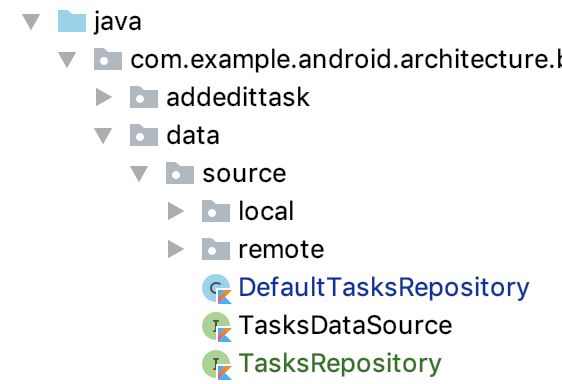
And DefaultTasksRepository now implements TasksRepository.
- Run your app (not the tests) to make sure everything is still in working order:
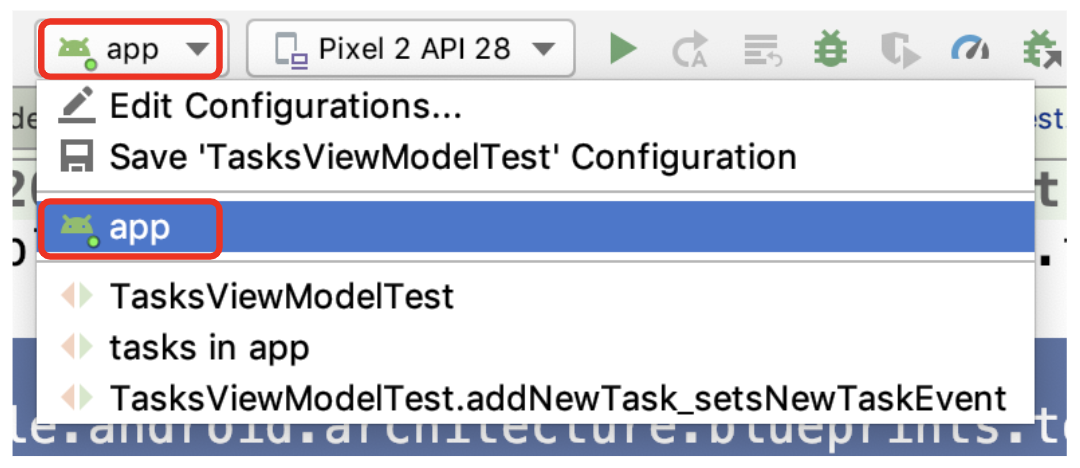
Step 2: Create FakeTestRepository
Now that you have the interface, you can create the DefaultTaskRepository test double.
- In the test source set, in data/source create the kotlin class
FakeTestRepository.kt. - Extend from the
TasksRepositoryinterface:
FakeTestRepository.kt
class FakeTestRepository : TasksRepository  {
}
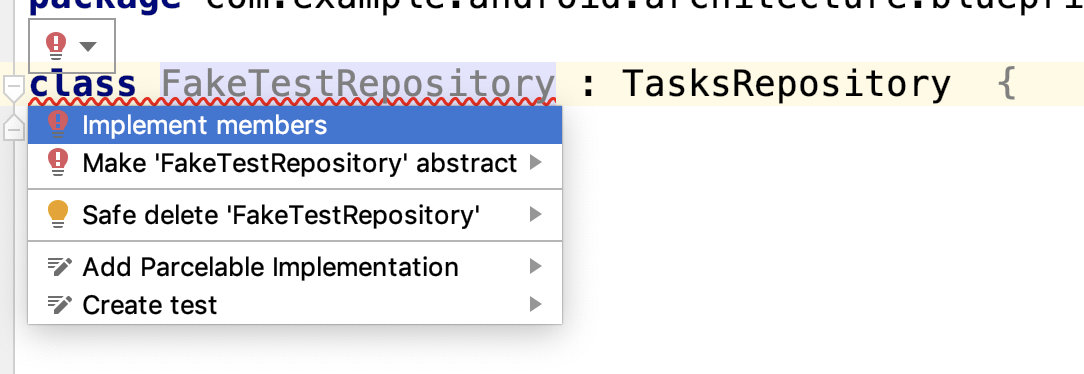
You now will be told you need to implement the interface methods.
- Hover over the error until you see the suggestion menu, then click and select Implement members:
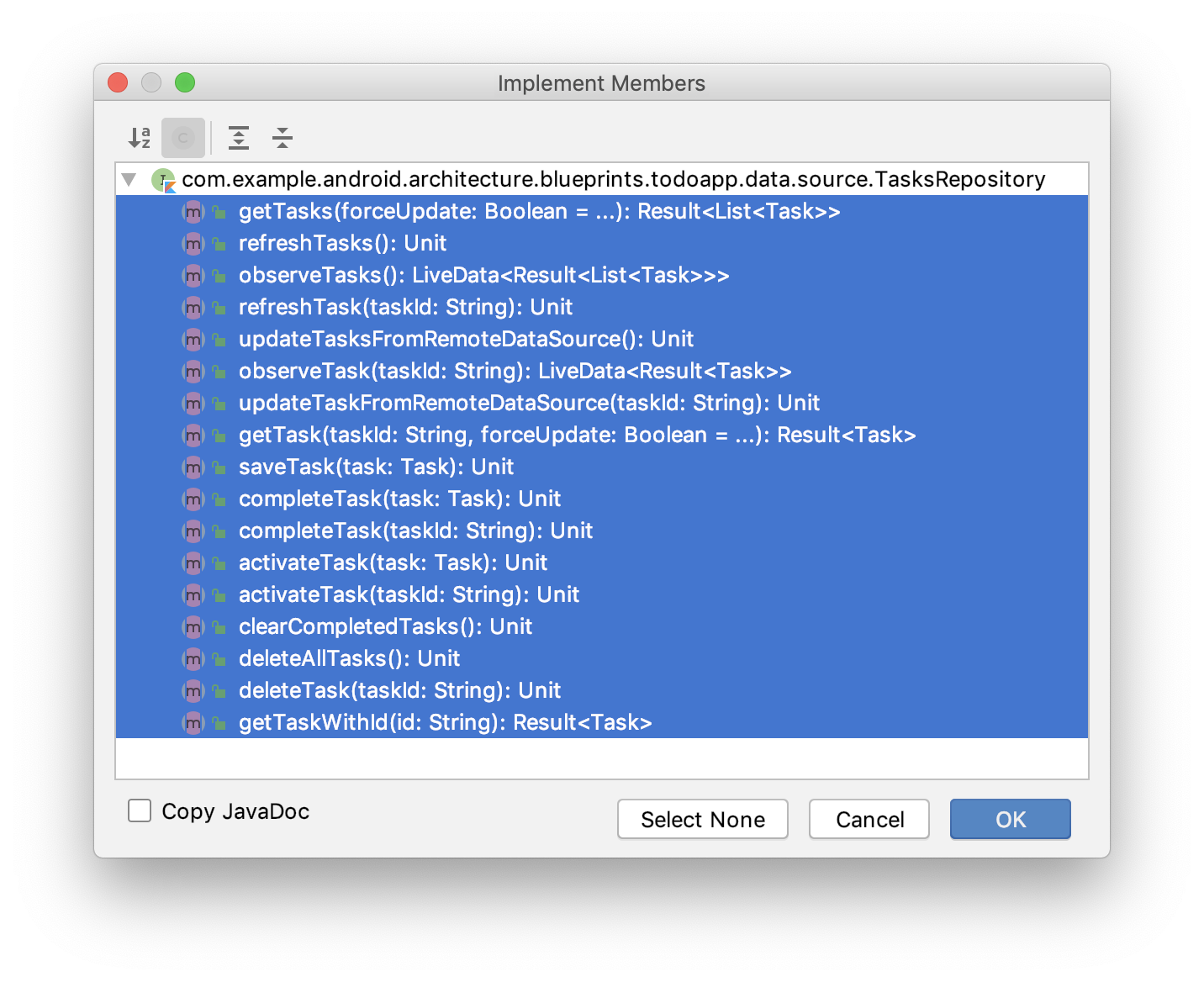
- Select all of the methods and press OK:
Step 3. Implement FakeTestRepository methods
- Add both a
LinkedHashMapvariable representing the current list of tasks and aMutableLiveDatafor your observable tasks:
FakeTestRepository.kt
class FakeTestRepository : TasksRepository {

    var tasksServiceData: LinkedHashMap<String, Task> = LinkedHashMap()

    private val observableTasks = MutableLiveData<Result<List<Task>>>()


    // Rest of class
}
Implement the following methods:
getTasks- This method should just take thetasksServiceDataand turn it into a list usingtasksServiceData.values.toList()and then return that as aSuccessresult.refreshTasks- Updates the value ofobservableTasksto be what is returned bygetTasks().observeTasks- Create a coroutine usingrunBlockingand runrefreshTasks, then returnobservableTasks.
Here are those methods:
FakeTestRepository.kt
class FakeTestRepository : TasksRepository {

    var tasksServiceData: LinkedHashMap<String, Task> = LinkedHashMap()

    private val observableTasks = MutableLiveData<Result<List<Task>>>()

    override suspend fun getTasks(forceUpdate: Boolean): Result<List<Task>> {
        return Result.Success(tasksServiceData.values.toList())
    }

    override suspend fun refreshTasks() {
        observableTasks.value = getTasks()
    }

    override fun observeTasks(): LiveData<Result<List<Task>>> {
        runBlocking { refreshTasks() }
        return observableTasks
    }

    // Rest of class

}
Step 4: Add a Method for Testing to addTasks
- Add the
addTasksmethod, which takes in avarargof tasks, adds each to theHashMapand then refreshes the tasks:
FakeTestRepository.kt
    fun addTasks(vararg tasks: Task) {
        for (task in tasks) {
            tasksServiceData[task.id] = task
        }
        runBlocking { refreshTasks() }
    }
At this point you have a fake repository for testing with a few of the key methods implemented.